Iloniiqara
Flux Guide
Flux Guide
Couldn't load pickup availability
Self-paced learning overview
- ✔ Digital file available after purchase
- ✔ Long-term availability
- ✔ Secure checkout
- ✔ Content updated in 2025
Lacking understanding of how to combine user needs with visual elements?
This is a common challenge. Flux Guide helps connect UX logic with UI elements.
What's inside:
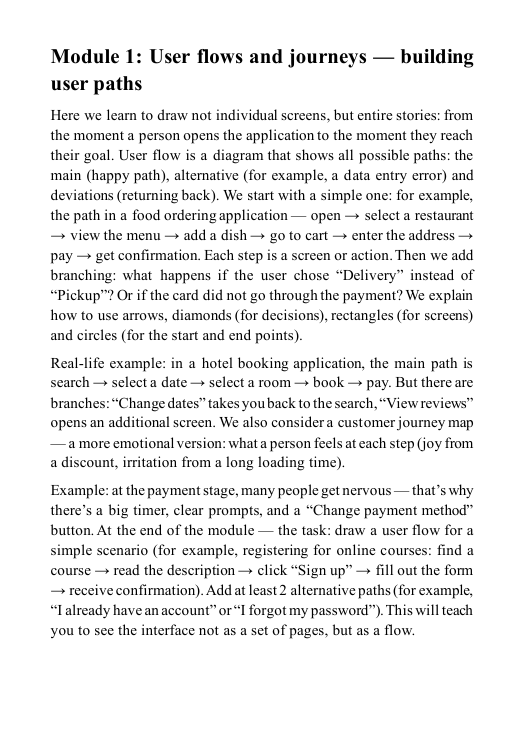
- Module 1: User flows & journeys – building user paths
- Module 2: Prototyping – from low-fidelity to clickable prototypes
- Module 3: UI components – working with buttons, forms, navigation
- Module 4: Design systems – creating reusable elements
- Module 5: Usability testing – basic validation methods
Who is this for?
✅ If you have basic knowledge and want to move to prototyping
❌ If you're looking only for advanced animations or code
What you'll explore:
- Building user flows
- Creating interactive prototypes
- Working with components and design systems
- Simple testing approaches
Guarantee
- 30-day money back
- No risk
Is prior experience required to start?
Is prior experience required to start?
The guides are structured to suit different levels — from beginners just getting familiar with UX/UI to those with basic skills who want to organize their knowledge.
How does the learning work?
How does the learning work?
Materials are built step-by-step: theory is explained with examples, followed by practical tasks and analysis of real interface cases.
Can I return to the materials later?
Can I return to the materials later?
After purchasing a plan, the materials stay in your account, and you can revisit them anytime for review or deeper study.
Share